


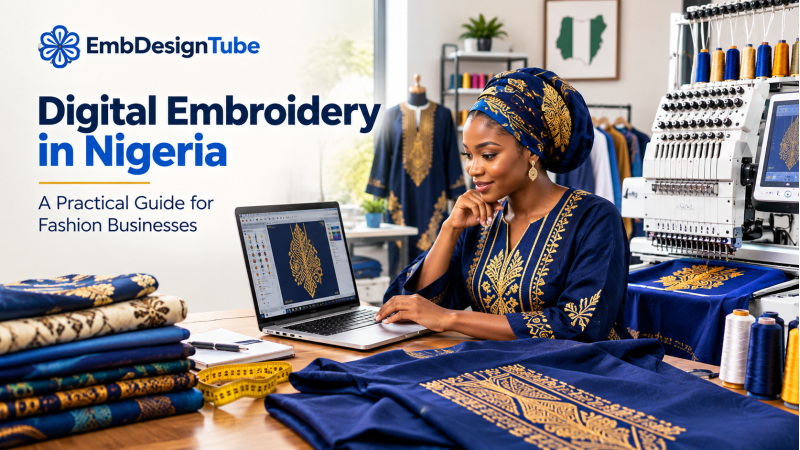
Digital embroidery is helping fashion businesses turn artwork and design ideas into repeatable, machine-stitched decoration. For Nigerian boutique owners, tailors, fashion labels and embroidery workshops, it can support everything from Agbada and Senator wear to Kaftans, occasion outfits, uniforms and custom-branded products.
The key is understanding that successful digital embroidery involves more than downloading a picture. You need a suitable machine embroidery file, the correct dimensions, a compatible format, appropriate stitch construction and a production plan that matches the garment and fabric.
This guide explains how digital embroidery works, where it fits into Nigerian fashion businesses, how to choose online embroidery designs, and when custom digitizing is the better option.
What Is Digital Embroidery?
Digital embroidery is the process of using computerized equipment to stitch a design onto fabric using machine-readable embroidery instructions. Those instructions are prepared through a process called embroidery digitizing.
A photograph, logo or artwork file does not usually contain the stitch-by-stitch information that an embroidery machine needs. A digitizer interprets the artwork and creates stitch paths, stitch types, directions, underlay, density, sequencing and other settings that guide the machine during production.
The completed design is exported in a format supported by the intended embroidery machine. Depending on the machine and workflow, common formats include DST, PES, JEF, EXP, VP3, HUS and other machine-specific formats. Some workflows also use editable source formats such as EMB.
In simple terms, the process is:
- Choose or prepare the artwork.
- Digitize the artwork into embroidery stitches.
- Export the design in a suitable machine format.
- Check dimensions, hoop requirements and stitch information.
- Test-stitch the design when needed.
- Produce the final garment or item.
Why Digital Embroidery Matters for Nigerian Fashion Businesses
Nigeria's fashion sector serves customers who buy clothing for everyday wear, weddings, ceremonies, religious occasions, celebrations, corporate use and personal expression. Embroidery gives fashion businesses another way to differentiate a garment through placement, texture, lettering, motifs and decorative detail.
The Nigerian Investment Promotion Commission identifies fashion as an important part of the country's creative economy. That broad industry context does not measure the embroidery market by itself, but it illustrates why production tools and design resources matter to fashion businesses. Read the NIPC overview of Nigeria's creative economy.
For a boutique with an embroidery machine, a well-organized digital design library can help staff respond to customer requests without having to create every design from the beginning. Custom digitizing then fills the gap when a ready-made design does not match the required style, dimensions or artwork.
The business benefit is not simply having more files. It is being able to identify the right file for a specific order, check that it is compatible with the machine, and move into production with fewer avoidable surprises.
Where Can Digital Embroidery Be Used?
Agbada and Men's Traditional Wear
Agbada, Senator wear and Kaftans are important applications for machine embroidery in Nigerian fashion. Depending on the garment design, embroidery may be placed on a front panel, chest, neckline, sleeve, pocket or cuff.
Large front-panel designs need particular attention to the embroidery area, hoop configuration, stitch count, fabric support and placement. A design that looks attractive on a screen may not suit the intended garment if it is too large, too dense or built for a different fabric.
Browse Agbada embroidery designs for ready-made options, then review each design's available format and dimensions before use.
Necklines, Lace and Occasion Wear
Embroidery around necklines and garment openings can create a coordinated, finished appearance on dresses, blouses, traditional outfits and occasion wear. The design needs to match the garment construction and leave the right allowance for seams, openings and finishing.
Explore neckline embroidery designs and lace embroidery designs when planning this type of work.
Appliqué and Decorative Borders
Appliqué embroidery combines fabric pieces with stitching to create a layered design. It can be useful for children's clothing, fashion accents, statement garments and other projects where the design calls for fabric shapes rather than stitches alone.
Borders can be used on garment edges, sleeves, hems, panels and other areas where a repeated or continuous design is needed. Before production, check the intended repeat length, alignment and whether the border needs to join seamlessly.
See appliqué embroidery designs and border embroidery designs.
Corporate Wear, Logos and Uniforms
Businesses, schools, hospitality operators, associations and event teams may need branded uniforms, workwear, caps or promotional garments. A logo intended for embroidery often needs to be simplified or adjusted for stitching, particularly when it contains very small lettering, fine lines, gradients or intricate details.
For a brand logo, provide the digitizer with the final embroidery size, garment type, preferred thread colours and the machine format required. Avoid assuming that a logo designed for printing will reproduce identically as stitches.
Home Décor and Other Products
Embroidery is not limited to clothing. It may also be used on cushion covers and selected decorative textile products, subject to the machine's embroidery area and the construction of the item.
Browse cushion cover embroidery designs for décor projects. Other creative collections include tree designs and Warli designs, which may suit selected garments, accessories or decorative applications.
Digital Embroidery, Digitizing and Embroidery Files: What Is the Difference?
These terms are related, but they describe different parts of the process.
- Digital embroidery design: A design prepared for use in a computerized embroidery workflow. Depending on the supplier, the term may refer to the visual design, the stitch file or the complete downloadable product.
- Embroidery digitizing: The technical process of converting artwork into stitch instructions for machine embroidery.
- Machine embroidery file: The file that contains the stitching instructions needed by a compatible machine.
- Editable source file: A file used in supported embroidery software to revise or manage design objects and stitch settings. It may not be directly readable by every embroidery machine.
When buying online, confirm exactly what the supplier will provide. A JPG or PNG preview is useful for evaluating the design, but it is not a substitute for the required machine embroidery file.
How to Choose an Online Embroidery Design
Before buying a downloadable design, evaluate it against the production job rather than choosing by appearance alone.
1. Confirm the Machine Brand and Model
Write down the exact machine model and check its supported file formats and maximum embroidery area. Machines from the same manufacturer can have different capabilities, so the brand name alone is not enough.
2. Check the Required File Format
DST is widely used in commercial embroidery workflows, while PES, JEF and other formats are associated with particular machine ecosystems. Compatibility can vary by model and software. Choose a file format confirmed for your machine rather than assuming that any format will work.
3. Match the Design to the Hoop
Check both design width and height. The design must fit within the usable embroidery field, not just the nominal hoop dimensions. If it does not fit, do not resize it automatically without reviewing the effect on stitch quality and detail.
4. Review Stitch Count and Density
Stitch count helps estimate production demands, but a higher count does not automatically indicate better quality. Stitch density, underlay, stitch type, fabric, stabilizer and final size all influence the result.
5. Check the Design Placement
A neckline design, a large Agbada panel and a small logo all have different construction requirements. Confirm that the design's dimensions and shape fit the actual placement area, including seams, folds and garment openings.
6. Check the Supplier's Product Information
Look for clear preview images, dimensions, stitch count when available, supported formats, colour information and straightforward download terms. If a critical specification is missing, ask before purchasing.
Why a Design Preview Is Not Enough
A preview shows the intended visual appearance, but it cannot fully demonstrate how the design will stitch on your fabric. Two files with similar artwork can behave differently because their stitch direction, density, underlay, sequencing, pull compensation and trim planning may differ.
Common production problems include puckering, thread breaks, registration gaps, rough lettering, unnecessary trims and loss of fine detail. These issues can be influenced by digitizing, machine condition, needle and thread selection, stabilizer, hooping, fabric behaviour and machine settings.
For an unfamiliar file or a costly garment, run a test stitch on a comparable fabric and stabilizer setup. Inspect the result before starting the customer's final garment. If the design repeatedly shows problems, check both the file and the machine setup rather than assuming that changing only one setting will solve everything.
Ready-Made Designs or Custom Digitizing?
Both options have a place in a working embroidery business. Ready-made designs can save preparation time when the available artwork matches the order. Custom digitizing is useful when the design must meet a specific brief.
Choose a Ready-Made Design When:
- The design already matches the garment style and placement.
- The dimensions fit the available embroidery area.
- The required machine format is available.
- You need a selection of styles for customer approval.
- The project does not require a unique logo or exclusive artwork.
Request Custom Digitizing When:
- A client supplies a logo, sketch or reference image.
- The design must match a specific Agbada or garment panel size.
- You need a special placement, colour plan or stitch treatment.
- The available ready-made files do not match the order.
- The design needs editing or adaptation for the intended production setup.
For a custom project, use EmbDesignTube's digitizing service. Prepare the artwork, final width and height, required format, machine details, fabric type, thread colours and intended placement. Providing this information at the start helps the digitizer understand the actual production requirement.
A Practical Digital Embroidery Workflow for a Boutique
A consistent workflow helps staff avoid rushed decisions and makes it easier to repeat successful jobs.
- Record the customer brief. Note the garment, design location, size, colour preferences, deadline and any special requirements.
- Measure the embroidery area. Confirm the available space after allowing for seams, garment construction and finishing.
- Find a suitable design. Search by garment, visual style or application. Start with all machine embroidery designs and narrow the selection based on the job.
- Confirm file compatibility. Verify that the supplied format suits the machine and workflow.
- Review the technical details. Check dimensions, stitch count when provided, colours and any special production requirements.
- Prepare the machine and fabric. Use an appropriate needle, thread, stabilizer and hooping method for the fabric and design.
- Test when necessary. Sample new or high-risk designs before stitching on the final garment.
- Record the result. Save the design name, file version, machine used, settings and any useful notes so the job can be reproduced more consistently.
How to Organize Your Digital Design Library
A design library becomes more useful when files are organized around how your business works. Create folders for garments or applications, such as Agbada, Kaftan, necklines, borders, appliqué, logos, uniforms and home décor. Within each folder, record the design dimensions and available file formats in a consistent way.
For example, a file record might read: Agbada front panel – 260 × 580 mm – DST – 4 colours. This is an example naming convention, not a specification for every Agbada design. Always record the actual dimensions and details supplied for the file you purchased.
Keep a separate backup of the purchased files and any custom files your business is permitted to retain. Store the order details or licence terms alongside the files so staff can distinguish the right to stitch a design from permission to redistribute or resell the digital file.
Questions to Ask an Online Embroidery Design Supplier
Before buying, confirm:
- Which machine formats are included?
- What are the exact design dimensions?
- Is stitch count available?
- How many colours does the design use?
- Does it suit the intended garment and placement?
- Can the design be resized or modified, and under what terms?
- What usage rights apply to finished garments and the digital file itself?
- How can you contact support if the download or specification is unclear?
These questions are particularly important for commercial users. A design suitable for stitching garments you sell may still be subject to restrictions on sharing, reselling or redistributing the original digital file. Read the supplier's licence terms carefully.
How EmbDesignTube Can Help
EmbDesignTube offers downloadable machine embroidery designs and custom digitizing for customers who need a design prepared for a specific brief. A practical starting point is to browse the collection, check the available file formats and dimensions, then decide whether a ready-made design meets the garment's requirements.
Explore all embroidery designs, or go directly to relevant collections such as Agbada, neckline, appliqué, lace and border embroidery designs.
If you cannot find a design that matches the required artwork or dimensions, visit the custom digitizing service. For assistance choosing a design or format, contact EmbDesignTube, message the team on WhatsApp, or reach out through Telegram.
Frequently Asked Questions
What does digital embroidery mean?
Digital embroidery uses computerized embroidery equipment and machine-readable stitch files to stitch a design onto fabric. Artwork is usually converted into stitch instructions through digitizing before it can be produced by the machine.
Where can Nigerian fashion businesses use digital embroidery?
Typical applications include Agbada, Senator wear, Kaftans, necklines, occasion wear, uniforms, logos, caps, accessories and selected home décor products. The design must be suitable for the machine, fabric and intended placement.
Which file format should I download?
Download the format supported by your exact machine and software workflow. DST, PES, JEF, EXP, VP3 and other formats are used across different embroidery systems. Confirm compatibility before purchasing.
Is an image file such as JPG or PNG enough to embroider a design?
Usually not. JPG and PNG files are commonly used as artwork or previews. A computerized embroidery machine normally requires a compatible stitch file containing the instructions for sewing the design.
When should I request custom embroidery digitizing?
Custom digitizing is useful when you need a specific logo, original artwork, a particular size, a precise garment placement or a design that is not available in a suitable ready-made format.
Should I test a design before embroidering a customer's garment?
For unfamiliar files, valuable fabric or complex designs, a test stitch on comparable fabric and stabilizer is a good production practice. It allows you to assess registration, density, coverage and detail before committing to the final garment.
Final Thoughts
Digital embroidery can help Nigerian fashion businesses offer more design options and make repeat production more organized, but results depend on choosing suitable files and using a sound production workflow. The best starting point is to understand the customer brief, confirm the machine and hoop requirements, inspect the file specifications and test when necessary.
Use ready-made designs when they meet the job's requirements, and use custom digitizing when the artwork or production brief calls for a tailored solution. With the right preparation, an online embroidery library can become a practical resource for boutiques, fashion labels, tailors and embroidery workshops.
Browse machine embroidery designs at EmbDesignTube, or request custom digitizing for your next project.