


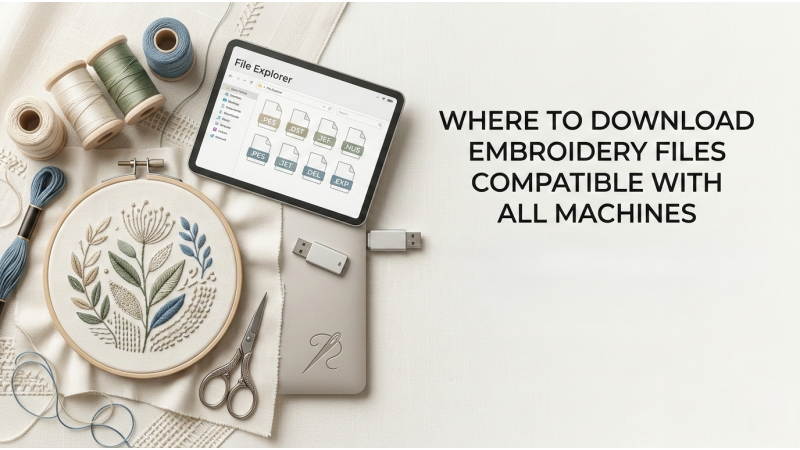
Embroidery designs download resources have become essential for embroidery professionals, hobbyists, and embroidery businesses who rely on high-quality digital designs for machine embroidery. Instead of manually digitizing every design, embroidery designers and machine operators often download ready-to-stitch embroidery files compatible with their embroidery machines.
Modern embroidery machines require specialized embroidery files that contain stitch instructions, thread sequences, and machine commands. These files guide the embroidery machine as it creates stitches on fabric. Because different embroidery machines use different file formats, downloading machine-compatible embroidery files is critical for successful embroidery production.
Whether you are searching for embroidery files for machines to create custom garments, monogram embroidery, applique embroidery, or commercial embroidery products, understanding where and how to download compatible embroidery designs can save significant time and effort.
This guide explores the best sources for embroidery designs download, explains machine compatible formats such as DST, PES, and JEF, and provides expert tips for selecting high-quality embroidery files for professional machine embroidery.
Understanding Machine Embroidery File Compatibility
Before downloading embroidery designs, it is important to understand how embroidery machines read design files.
Unlike graphic images such as PNG or JPG files, embroidery machines require specialized file formats containing stitch instructions. These instructions tell the machine exactly where and how to stitch the design.
Embroidery files contain several key types of information:
-
Stitch coordinates
-
Stitch types and patterns
-
Thread color sequences
-
Machine commands such as trims and jumps
Because each embroidery machine manufacturer uses its own file format, compatibility becomes an important factor when selecting embroidery files for machines.
Common Machine Compatible Embroidery Formats
Most embroidery designs download platforms provide files in multiple formats to support various embroidery machines.
Popular Embroidery Machine File Formats
| Format | Machine Compatibility | Typical Use |
|---|---|---|
| DST | Tajima and commercial machines | Industrial embroidery production |
| PES | Brother embroidery machines | Home embroidery |
| JEF | Janome embroidery machines | Home embroidery |
| EXP | Bernina embroidery machines | Professional embroidery systems |
| VP3 | Husqvarna Viking | Advanced home embroidery machines |
Providing multiple formats allows embroidery designers to use the same design across different embroidery machines.
Why Multiple File Formats Are Important
Many embroidery businesses operate more than one type of embroidery machine. In these cases, having access to machine compatible formats becomes essential.
When downloading embroidery designs, designers should always check whether the files include:
-
DST for commercial machines
-
PES for Brother machines
-
JEF for Janome machines
-
EXP for Bernina machines
Downloading designs with multiple formats ensures flexibility and compatibility with different embroidery machines.
Best Places for Embroidery Designs Download
There are many online platforms where embroidery professionals can download embroidery designs for machines. These platforms typically provide machine-compatible files and professionally digitized embroidery patterns.
Types of Embroidery Design Download Sources
Embroidery design resources generally fall into several categories:
-
Professional embroidery design marketplaces
-
Subscription-based embroidery libraries
-
Free embroidery design websites
-
Custom embroidery design platforms
Each type offers different advantages depending on the user’s needs.
Professional Embroidery Design Marketplaces
Professional embroidery marketplaces provide high-quality embroidery designs created by experienced digitizers.
These platforms typically offer:
-
Large design collections
-
Machine-compatible file formats
-
Multiple hoop sizes
-
Professional stitch quality
Typical Features of Premium Embroidery Platforms
| Feature | Benefit |
|---|---|
| High-quality digitizing | Clean stitching results |
| Multiple machine formats | Broad compatibility |
| Organized design libraries | Easy browsing |
| Reliable support | Professional assistance |
Professional marketplaces are ideal for embroidery businesses that require consistent design quality.
Subscription-Based Embroidery Libraries
Some embroidery websites offer subscription services that allow users to download embroidery designs regularly.
These platforms are popular among embroidery businesses that need frequent access to new designs.
Benefits of Subscription Platforms
-
Unlimited or high-volume downloads
-
Regular design updates
-
Access to large design libraries
-
Cost-effective pricing for frequent users
Subscription-based embroidery designs download services help businesses maintain a constant supply of new embroidery patterns.
Free Embroidery Design Websites
Free embroidery design websites are another option for downloading embroidery files for machines.
These sites typically offer a limited selection of free designs.
Advantages of Free Design Websites
-
No cost for downloads
-
Easy access for beginners
-
Opportunity to test new design styles
Limitations of Free Designs
| Limitation | Explanation |
|---|---|
| Limited design variety | Smaller libraries |
| Variable digitizing quality | Some designs poorly optimized |
| Fewer format options | Limited machine compatibility |
Free designs are useful for experimentation but may not always meet commercial embroidery standards.
Custom Embroidery Design Platforms
Some websites specialize in custom embroidery design creation rather than ready-made downloads.
These platforms allow users to request custom embroidery digitizing services for:
-
Company logos
-
Brand designs
-
Personalized embroidery patterns
-
Custom monogram embroidery
Custom digitizing ensures that designs are optimized for specific embroidery machines and fabrics.
Choosing High-Quality Embroidery Files
When downloading embroidery designs, quality is just as important as compatibility.
Poorly digitized embroidery files can cause several problems during machine embroidery.
Signs of High-Quality Embroidery Files
-
Balanced stitch density
-
Proper underlay stitches
-
Efficient thread path creation
-
Minimal jump stitches
Signs of Poor Digitizing
| Issue | Result |
|---|---|
| Excessive stitch density | Thread breaks |
| Poor stitch direction | Distorted design |
| Excessive trims | Slower production |
| Missing color data | Incorrect thread sequence |
Carefully evaluating embroidery designs before downloading helps prevent embroidery machine file problems.
Importance of Embroidery Digitizing in Downloaded Designs
Embroidery digitizing is the process of converting artwork into machine embroidery files.
Professional digitizers use embroidery design software to create stitch instructions that embroidery machines can follow.
Digitizing determines:
-
Stitch types and patterns
-
Stitch directions
-
Stitch density
-
Thread color sequences
Even when downloading designs, the quality of digitizing plays a major role in final embroidery results.
Embroidery Design Software for Editing Downloaded Files
Sometimes downloaded embroidery files need minor adjustments before stitching.
Professional embroidery software can help modify designs.
Popular Embroidery Editing Software
| Software | Key Features |
|---|---|
| Wilcom Hatch | Professional embroidery editing |
| Embrilliance | Design modification tools |
| SewWhat-Pro | File editing and conversion |
| Ink/Stitch | Open-source embroidery editor |
These tools allow embroidery professionals to resize designs, adjust stitch density, or convert file formats.
Embroidery Stabilizers and Fabric Considerations
Downloaded embroidery designs must be paired with the correct stabilizers and fabrics.
Stabilizers support the fabric during embroidery and help prevent distortion.
Common Stabilizer Types
-
Cut-away stabilizer
-
Tear-away stabilizer
-
Wash-away stabilizer
Using the right stabilizer ensures that downloaded embroidery designs stitch properly.
Hooping Techniques for Downloaded Embroidery Designs
Proper hooping is essential for achieving professional embroidery results.
Best Hooping Practices
-
Keep fabric evenly tensioned
-
Avoid stretching fabric
-
Align stabilizer correctly
-
Use the appropriate hoop size
Correct hooping allows downloaded embroidery designs to stitch accurately on fabric.
Embroidery Business Tips for Managing Downloaded Designs
Embroidery businesses often maintain large collections of downloaded embroidery designs.
Proper organization improves productivity.
Recommended File Management Practices
-
Organize designs by category
-
Store multiple machine formats
-
Maintain backup design files
-
Document thread color sequences
Efficient file management helps embroidery businesses streamline production.
Future Trends in Embroidery Design Downloads
The embroidery industry continues to evolve with new digital technologies.
Future trends may include:
-
AI-assisted embroidery digitizing
-
Cloud-based embroidery design libraries
-
Automatic format conversion tools
-
Smart embroidery machine integration
These advancements will make embroidery designs download platforms more efficient and accessible.
Frequently Asked Questions
Where can I download embroidery designs for machines?
Embroidery designs can be downloaded from professional marketplaces, subscription libraries, free embroidery websites, and custom digitizing platforms.
What file formats should embroidery designs include?
High-quality embroidery downloads should include multiple formats such as DST, PES, and JEF.
Are free embroidery designs safe to use?
Many free designs are safe, but quality may vary depending on the source.
Can embroidery files be converted between formats?
Yes. Embroidery design software can convert designs between different machine formats.
Why do downloaded embroidery files sometimes fail to stitch correctly?
Problems may occur due to poor digitizing, incorrect stabilizer usage, or machine compatibility issues.
Conclusion
Embroidery designs download platforms provide embroidery professionals with convenient access to thousands of ready-to-stitch machine embroidery files. By understanding embroidery file formats, machine compatibility, and digitizing quality, embroidery designers and businesses can select the best designs for their projects.
Choosing embroidery files for machines that include multiple formats such as DST, PES, and JEF ensures compatibility across various embroidery machines. Additionally, evaluating design quality, using proper stabilizers, and applying correct hooping techniques help achieve consistent embroidery results.
For embroidery businesses, having reliable sources for embroidery designs download is essential for maintaining efficient production workflows, expanding product offerings, and delivering high-quality embroidery designs to customers.