



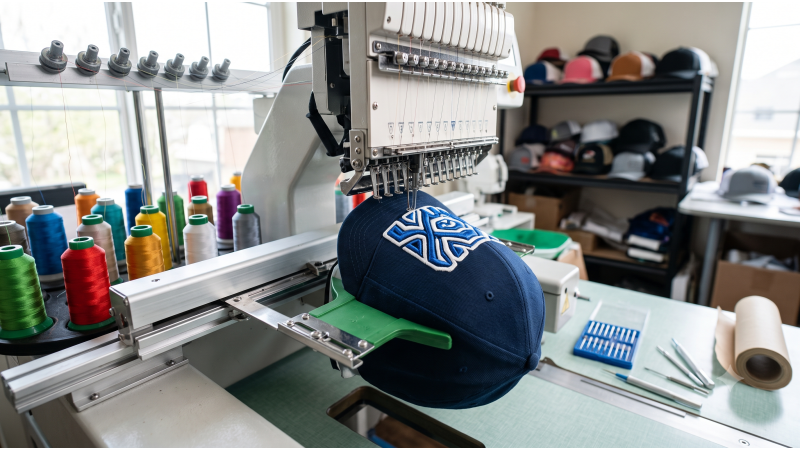
Quick answer: Most structured-cap front designs run about 5,000 to 8,000 stitches at roughly 2 to 2.25 inches tall. Use a DST file digitized for caps, stitch center-out, keep underlay light, fit a sharp 75/11 or 80/12 needle, and test on the actual cap style before a full run.
Caps are the most profitable item in many embroidery shops, and the least forgiving. A design that stitches perfectly on a polo can fall apart on a structured cap: the lettering drifts toward the bill, the needle deflects off the buckram, and the thread snaps halfway through a 200-piece order. Caps curve, resist the needle, and have almost no room to hide a poorly built file.
That is why cap files need to be digitized for caps from the start. A flat-garment design scaled down to fit a cap is the single most common cause of distortion, gaps, and thread breaks. EmbDesignTube.com supplies production-ready DST files built for cap frames, so your machine spends its time stitching instead of stopping. This guide covers stitch counts, underlay, sequencing, frame setup, and the troubleshooting steps that keep cap runs profitable.
Why Cap Embroidery Fails: The Digitizing Problem
Three physical facts explain most cap failures:
- The surface is curved. The front panel bends away from the needle plate, so stitches near the edges land differently than stitches at the center.
- The fabric is stiff and pushes back. Structured caps use buckram or similar stiffening that resists penetration. Heavy underlay or excess density builds a hard ridge that deflects the needle.
- The work area is small. Visor and seams limit the design height, so detail has to survive in a very tight space.
A cap-specific file accounts for all three. It uses a lighter, firmer underlay, a stitch sequence that keeps the panel stable, and shape sizes that respect minimum stitch widths. It is also built with the pull and push behavior of a curved, resisting surface in mind.
DST Files and Cap Drivers: What Your Machine Needs
DST is the standard format for commercial cap work. It is read by Tajima and Barudan controllers and by most other commercial multi-needle machines, including Ricoma. DST stores coordinates, jumps, and color-stop commands, so your machine provides the cap frame behavior, not the file. That makes a few points important:
- Set the machine to cap mode (cap driver or cap frame setting) before loading the file. The same DST that runs on a flat hoop will stitch incorrectly if the machine is not told it is working on a cap frame.
- Center the design on the cap. Make sure the file's origin matches your frame's center point so the logo lands centered on the front panel.
- Confirm trims. DST writes trims as jump sequences, so check that your machine's trim settings produce clean thread cuts on cap runs.
- Avoid format conversion. Convert only when absolutely required. Trim commands and stitch order are the first things to break.
If you run Brother PR machines and need PES files, or Melco machines that read EXP, the same cap principles apply. Match the native format to your machine. You can also browse our full design library to check which formats are available for each design.
Stitch Counts for Cap Designs
Stitch count on a cap is about balance. Too few stitches leave gaps and weak coverage. Too many create a stiff, raised patch that deflects needles and distorts the panel. The ranges below are common starting points for front-panel work on standard structured caps. Confirm everything with a test stitch-out on the actual cap style.
| Design type | Typical size (height) | Typical stitch count | Notes |
|---|---|---|---|
| Simple text or monogram | 1 to 1.5 in (25-38 mm) | 2,500 to 4,500 | Keep letters at least about 0.2 in (5 mm) tall for clean legibility |
| Standard logo or crest | 1.75 to 2.25 in (45-57 mm) | 5,000 to 8,000 | The most common range; balance coverage against stiffness |
| Dense logo with fills | 2 to 2.25 in (50-57 mm) | 8,000 to 10,000 | Risk of distortion rises; use lighter underlay and test carefully |
| 3D puff lettering | 1.25 to 2 in (32-50 mm) | 3,000 to 6,000 (cover stitches) | Bold shapes only; foam cannot hold thin strokes |
| Wide-frame side or back design | Varies by frame | Varies | Needs a design digitized for the wide frame and curve |
If you are consistently going above about 8,000 stitches on a standard front panel, reduce detail or enlarge the shapes instead of adding density. Cleaner, simpler artwork stitches faster and looks sharper on a curved surface.
Underlay for Structured Buckram and Unstructured Caps
Underlay is the foundation that keeps top stitches crisp, and caps are where heavy-handed underlay causes the most damage. On a stiff buckram front, the goal is a light, stabilizing underlay, not a heavy platform.
Structured caps with buckram
- Use a light edge-run underlay to anchor shapes, and a sparse zigzag or lattice under larger fills.
- Avoid stacking multiple heavy underlay passes. They create a ridge that pushes the needle off line.
- Keep fill density near standard values (around 0.40-0.45 mm line spacing) and widen it slightly on large fills so the panel stays flexible.
- Use satin columns for lettering where possible, and keep column widths in a workable range, roughly 1.5 to 7 mm.
Unstructured and low-profile caps
- Dad hats and other soft caps have no buckram, so they need stabilizer. Use a backing suited to the fabric and weight.
- These caps stretch and shift easily, so stronger underlay helps hold the design in place.
- Reduce density a little to avoid puckering on soft twill or cotton.
Mesh-back and trucker caps
- The front foam panel behaves differently from the mesh. Keep designs on the foam front panel.
- A water-soluble topping helps stitches sit on top of textured foam fabrics.
Stitch Sequencing: Why Center-Out Matters
Sequencing is one of the most important differences between cap files and flat-garment files. On a curved panel, the order in which shapes are stitched controls how the fabric shifts under the needle.
- Start at the center and work outward. This keeps the panel evenly anchored and prevents the cap from drifting toward the bill as stitches accumulate.
- Stitch left to right where possible. This reduces fabric push in one direction and helps alignment between colors.
- Minimize long jumps. Long travel stitches across the panel create loose threads and trimming trouble.
- Plan color changes. Fewer color changes mean fewer trims and fewer chances for registration to drift between blocks.
Poor sequencing often looks like misaligned outlines, gaps between fill and border, or lettering that tilts. If you see these on otherwise well-built files, check the stitch order before changing density.
Looking for cap-ready DST files? Explore the EmbDesignTube design collection for lettering, crests, and logo styles sized for cap frames, or send us your artwork through our custom digitizing service.
Cap Frame Setup, Hooping and Clearance
Even a perfect file fails if the cap is loaded badly. A consistent setup routine matters more on caps than on any other garment.
- Check the design height against your frame's real working area. Standard cap frames usually allow around 2 to 2.25 inches (50-57 mm) of height. Wide frames allow more, but only if your machine supports them.
- Load the cap straight. Align the center seam with the frame's center mark. A cap loaded off-center gives a crooked logo no matter how good the file is.
- Keep the surface taut and smooth. Wrinkles under the frame show up as puckering and gaps. Pull the fabric evenly without stretching it out of shape.
- Check visor and bill clearance. The bill must clear the machine arm and needle plate throughout the full design area. Run the machine's trace function before stitching.
- Secure the sweatband. Fold it out of the stitching area so the needle does not catch it.
- Use the right backing for the cap. Structured caps usually rely on the built-in buckram. Soft caps need a cutaway or suitable stabilizer.
Needles, Thread and Machine Settings
| Setting | Starting point for caps | Why it matters |
|---|---|---|
| Needle | Sharp 75/11 or 80/12 | Pierces buckram cleanly and reduces deflection and breaks |
| Thread | 40 wt polyester or rayon | Standard embroidery weight with good strength for commercial runs |
| Speed | Roughly 500 to 750 stitches per minute | Lower speeds reduce breaks and improve registration on curved panels |
| Tension | Balanced; back of satin shows about one-third bobbin thread | Prevents pulling and puckering on stiff fabric |
| Topping | Water-soluble on textured or foam fronts | Keeps small text visible on uneven surfaces |
These are starting points, not guarantees. Machines, thread brands, and cap styles vary, so always run a test cap and record the settings that work.
3D Puff on Caps: The Highest-Margin Cap Style
3D puff lettering is the signature look of streetwear caps, and it carries a premium price. It also leaves the least room for error. A puff file layers a high-density satin stitch over 2-3 mm foam, and the digitizing must account for how the foam compresses and perforates.
- Use bold shapes. Strokes thinner than roughly 2-3 mm will not hold foam.
- Include a perforating run under the cover stitch so foam tears away cleanly along the edge.
- Add pull compensation. Dense satin over foam pulls the shape inward, so letters need extra width.
- Control stitch density. Dense enough to cover and perforate, not so dense that the needle cuts the foam through.
- Plan the cleanup. Leave enough overlap in corners that you can remove foam scraps without damaging the thread.
Running puff on a cap also requires a firm cap setup and a test stitch-out, since foam height and cap stiffness interact. If you want puff-ready lettering without building it from scratch, see the puff and lettering options in the EmbDesignTube library.
Cap Embroidery Troubleshooting Guide
| Problem | Likely cause | Fix |
|---|---|---|
| Frequent thread breaks | Dull or wrong needle, excess density, high speed | Fit a fresh sharp 75/11 or 80/12, slow the machine, and check the file's density |
| Lettering drifts or tilts | Poor sequencing or an off-center cap | Use center-out sequencing and re-center the cap in the frame |
| Gaps between fill and outline | Missing push compensation or panel shift | Add compensation and check hooping tension |
| Hard ridge behind the design | Too much underlay or density | Lighten the underlay and open up the fill spacing |
| Small text unreadable | Letters too small for a cap surface | Enlarge text height to at least about 0.2 in (5 mm) or simplify |
| Puff foam shows through | Density too low or perforation missing | Use a puff-specific file with proper cover density |
Why Cap Embroiderers Choose EmbDesignTube
- Digitized for caps: sequencing, underlay, and sizing planned for cap frames, not copied from flat garments.
- Commercial DST format: compatible with Tajima, Barudan, Ricoma, and other commercial machines.
- Stitch-tested files: reduce failed runs, wasted caps, and machine downtime.
- Fast turnaround: download and run, or order a custom job for your client's logo.
- Direct support: chat with our team on WhatsApp or via the contact page.
Related Reading
For a full breakdown of DST, PES, and EXP formats across Barudan, Tajima, and Ricoma systems, read our commercial embroidery designs DST PES guide. Cap files must be digitized separately from chest files, so if you also run uniform programs, see our left-chest embroidery designs for uniforms guide. If your cap line includes patches or layered badges, browse the appliqué and patch bulk designs.
Frequently Asked Questions
What stitch count is best for a structured cap embroidery design?
Most front-panel designs on structured caps run between about 5,000 and 8,000 stitches at roughly 2 to 2.25 inches tall. Going far beyond that tends to create a stiff, distorted patch. Simple text can use fewer stitches, around 2,500 to 4,500. Always confirm with a test stitch-out on your cap style.
Can I use the same DST file for caps and flat garments?
Usually not without changes. Cap files use center-out sequencing, lighter underlay, and sizes limited to the cap frame's working area. A flat-garment design scaled down often has too much density and the wrong stitch order, which causes distortion and thread breaks. Choose files digitized specifically for caps.
What needle should I use for cap embroidery?
A sharp 75/11 or 80/12 needle works for most structured caps because it pierces buckram cleanly and reduces deflection. Move to a slightly larger needle only if you are stitching through seams or very dense areas. Replace needles often, since a dull point is a common cause of thread breaks.
Why does my 3D puff lettering look uneven on caps?
Uneven puff usually comes from a design with thin strokes, too little cover density, or missing perforation under the satin stitch. Foam needs bold shapes, dense satin, and extra pull compensation. Use a puff-specific file, a firm cap setup, and test the foam height you plan to use.
Ready to run cleaner caps? Browse all EmbDesignTube designs, or contact our team to find the right cap file for your machine.