



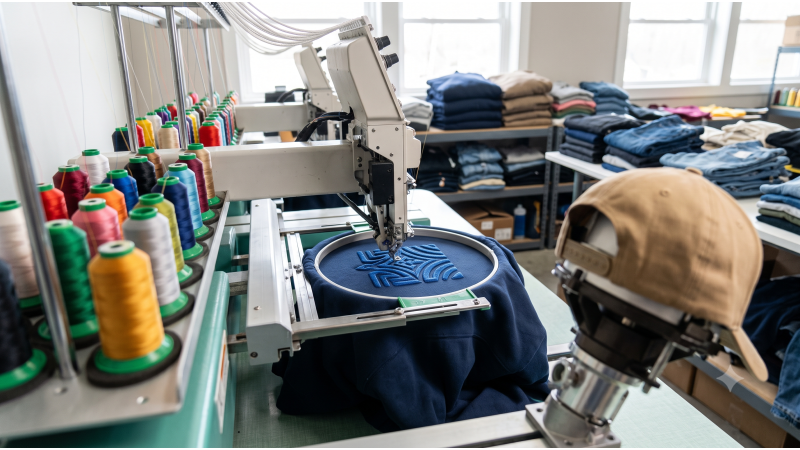
Quick answer: Use DST for most commercial machines (Tajima, Barudan, Ricoma), PES for Brother and Baby Lock, and EXP for Melco. Buy the format your machine reads natively, avoid converting on the shop floor, and always run a test stitch-out on the real garment and backing before a production run.
Every commercial embroidery shop knows the sound of a production run going wrong: the thread snaps, the head stops, and a 400 GSM hoodie sits half-stitched in the hoop. Puckering on heavy fleece, poor underlay under structured caps, and files that were never tested on a real garment all end the same way, with wasted machine hours and reruns that eat your margin. Most of these failures start in the design file, not at the machine.
EmbDesignTube.com is built for shops and brands that need production-ready, stitch-tested digitized patterns in the formats their machines actually read. This guide covers the file formats, the density and underlay rules for heavy garments and caps, the real economics of sourcing versus digitizing in-house, and the styles currently driving orders in North America.
DST vs. PES vs. EXP: Choosing the Right Format for Barudan, Tajima, and Ricoma Systems
A machine embroidery file is a list of stitch coordinates and machine commands. Formats differ in what they store, and those differences decide whether a design runs cleanly on your equipment or needs rework first.
What each format actually stores
- DST (Tajima): the industry standard for commercial machines. It stores stitch coordinates, jumps, and color-stop commands, but no thread color data and no density information. Trims are written as a sequence of jump codes, which means the machine's trim behavior depends on its own settings.
- PES (Brother and Baby Lock): stores stitches plus thread color information, so designs open with a color sequence already assigned. It is the native format for Brother PR-series machines and is widely accepted on many multi-needle models.
- EXP (Melco): a stitch-only format used on Melco machines such as the Amaya and EMT16X lines. It carries no color data, and trim and color-change commands are encoded in its own way.
| Format | Typical machines | Thread color data | Scaling tolerance | Trim commands |
|---|---|---|---|---|
| DST | Tajima, Barudan, Ricoma, most commercial multi-heads | No (color stops only) | Safe within roughly 10-20% before density drifts; resize in software, not at the machine | Encoded as jump sequences; verify against machine trim settings |
| PES | Brother PR series, Baby Lock, some multi-needle machines | Yes | Similar limits; best resized from the source file so density recalculates | Supported, but behavior varies by machine and software |
| EXP | Melco Amaya, EMT16X | No | Similar limits; stitch-only, so large scale changes need re-digitizing | Native commands; confirm on test stitch-out |
Which format should you buy?
If you run mixed equipment, DST is the safest universal choice because nearly every commercial controller reads it. If you run Brother PR machines, PES saves a conversion step and keeps color order intact. The practical rule is simple: buy the format your machine reads natively, and avoid converting between formats on the shop floor. Conversion is where trims, jumps, and underlay order quietly break.
Resizing deserves the same caution. A DST file is a fixed set of stitches, so enlarging a design by 30% stretches the stitch lengths and thins the coverage, while shrinking it bunches stitches and raises the risk of thread breaks and needle deflection. Whenever a design needs more than a modest size change, resize it from the original vector or embroidery source so density is recalculated, or request a version at the correct size.
Looking for ready-to-run files? Browse the full EmbDesignTube design library and choose the format that matches your machines.
Stitch Density & Underlay Rules for 400+ GSM Hoodies and Structured Caps
Heavyweight fleece and structured caps are the two substrates that punish generic designs hardest. They fail in opposite ways: fleece swallows stitches and puckers, while caps resist the needle and distort lettering. The settings below are starting points. Always confirm with a test stitch-out on the actual garment and backing, because fabric, thread, and machine tension vary.
Heavyweight hoodies (400+ GSM)
- Fill density: standard fills commonly sit around 0.40-0.45 mm line spacing. On thick fleece, slightly more open spacing (about 0.45-0.50 mm) helps avoid a stiff, over-packed patch.
- Underlay: use an edge-run plus zigzag or lattice underlay under fills so the top stitches sit on a stable platform instead of sinking into the pile. Heavy fleece often benefits from a lighter fill and a stronger underlay, not the reverse.
- Topping: a water-soluble topping keeps stitches from disappearing into nap, especially on small text.
- Pull compensation: knits and fleece pull designs inward as stitches tighten. A typical starting range is 0.2-0.4 mm of added width on satin columns and fill edges, increased for very stretchy fabric.
- Backing: use cutaway backing for fleece and any knit. Tearaway lets stitches loosen over time and washes out the structure of the design.
- Needle: a 75/11 or 80/12 needle works for most hoodie work. Move to 90/14 when stitching through seams or very dense areas.
Structured caps
- Sequence: stitch center-out so the cap panel does not drift toward the bill. Poor sequencing is a leading cause of misaligned lettering.
- Underlay: structured buckram needs a firm, light underlay. Excess underlay builds a hard ridge that pushes the needle off line.
- Size limits: keep design height within your cap frame's real working area, usually around 2 to 2.25 inches (50-57 mm) on standard frames. Check visor clearance before you load the file.
- Stitch count: most front-panel cap designs run well between roughly 5,000 and 8,000 stitches. Beyond that, structured caps tend to distort.
- Needle: a sharp 75/11 or 80/12 needle penetrates buckram cleanly and reduces breaks and deflection.
For a full cap-specific walkthrough, including frame setup and sequencing, read our commercial DST embroidery designs for caps guide.
3D puff embroidery
3D puff is where file quality matters most, since the digitizer has to account for foam, not just thread. Puff designs use a high-density satin stitch laid over 2-3 mm foam. The stitches must be dense enough to cover and perforate the foam cleanly, but not so dense that they cut through it and leave gaps. Key rules:
- Use bold shapes. Thin strokes or tiny letters will not hold foam, and a stroke of at least 2-3 mm wide works better than thin lines.
- Add a perforating run under the cover stitch so foam tears away cleanly along the edge.
- Apply extra pull compensation, since foam and tight satin columns draw the shape inward.
- Match foam height to the design. Taller foam needs wider columns and more compensation to avoid bald edges.
- Plan for cleanup: leave enough stitch overlap that you can pull foam scraps from corners without damaging the stitching.
Need puff-ready or cap-ready files? Explore the EmbDesignTube design collection for production-tested lettering and motifs, or request a custom job through our custom digitizing service.
How Independent Streetwear and Workwear Brands Scale Production Without an In-House Digitizer
Many small brands hit the same wall: designs are ready and orders are coming in, but nobody on staff can digitize. The choice is usually between hiring or training a digitizer, outsourcing every job as custom work, or buying pre-tested production files for recurring designs.
| Factor | In-house digitizing | Custom outsourced digitizing | Pre-tested production files |
|---|---|---|---|
| Upfront cost | Software license, training, and salary or contractor time | None, billed per job | None, billed per file |
| Time to first stitch | Fast once staffed; slow to build skill | Typically one to two business days per job | Immediate download |
| Cost per design | Low at high volume, high at low volume | Highest for one-off logos | Lowest for stock motifs and styles |
| Test-stitch risk | You carry it | Usually shared with the vendor | Already stitched out before sale |
| Best for | Shops with constant custom logo work | Unique client logos | Recurring styles, collections, and fast turnarounds |
Exact prices depend on the vendor and the design's complexity, so compare real quotes before you decide. The hidden cost in every model is the failed run. One ruined batch of hoodies can cost more than the digitizing itself, which is why test-stitched files change the math for brands without a specialist on staff.
A practical hybrid works well for most growing shops. Buy production-tested files for the styles you reorder, such as chest crests, lettering sets, and jacket back motifs. Reserve custom digitizing for client logos and signature artwork, and keep a short log of the settings that work on each garment type so every repeat run goes faster. For unique artwork, you can order custom digitizing from EmbDesignTube.
Top 5 High-Demand Embroidery Styles Driving Sales in North America
- 3D puff typography. Raised lettering is the signature look of streetwear caps and hoodies. It sells on texture and perceived value, and it demands well-digitized foam handling.
- Left-chest corporate crests. Uniforms, polos, and workwear drive steady repeat demand. Clean small text and balanced stitch counts are what buyers pay for. See our left-chest embroidery designs for uniforms guide for stitch counts by garment.
- Vintage chain-stitch looks. Retro, hand-finished textures appeal to heritage and workwear brands and photograph well for social commerce.
- Jacket back emblems. Large back motifs work on denim, bombers, and western wear. They need careful hooping and compensation across a big stitch field.
- Varsity and patch-style appliqué. Layered patches and collegiate lettering remain a staple for team, club, and brand merchandise.
If patches and appliqué are part of your line, see the appliqué and patch bulk designs for ready-to-run sets.
Why Production Managers Choose EmbDesignTube
- Production-ready files: digitized for commercial machines, not just for screen previews.
- Machine-friendly formats: DST, PES, EXP, JEF, and EMB options for Tajima, Barudan, Ricoma, Melco, and Brother systems.
- Built for heavy substrates: underlay and density planning that accounts for fleece, twill, and caps.
- Faster setup: download and run instead of waiting on a custom job.
- Human support: reach the team on WhatsApp or through the contact page.
A Quick Pre-Production Checklist
Before any file goes to a full run, work through these steps:
- Confirm the file format matches your machine's native format.
- Check the design dimensions against your hoop or cap frame, including visor clearance.
- Run a test stitch-out on the actual garment with the actual backing and topping.
- Inspect for puckering, gaps at edges, and registration between color blocks.
- Record the thread, needle, speed, and tension that worked, and save them alongside the file.
This ten-minute routine prevents most failed runs, and it works the same way whether the file is custom or pre-tested.
Related Reading
- Commercial DST Embroidery Designs for Caps: Stitch Guide
- Left-Chest Embroidery Designs for Uniforms: Stitch Count Guide
Frequently Asked Questions
Can I use PES files on a commercial multi-head machine?
Often yes, but it depends on the controller. Many commercial machines read PES, though DST is the more universal commercial format. PES stores thread colors, while DST does not. If your machine reads DST natively, choose DST to avoid conversion problems. Check your machine's supported formats before buying.
What stitch count is standard for a left-chest hoodie design?
Most left-chest designs measure about 3 to 4 inches wide and run roughly 5,000 to 8,000 stitches. On heavy fleece, aim for the lower to middle part of that range with a stable underlay and a cutaway backing, so the design stays soft and avoids puckering.
What is the difference between DST and EXP files?
DST is the Tajima format used across most commercial machines, while EXP is Melco's stitch-only format. Both lack thread color data, but they encode trims and color changes differently. Use the format your machine reads natively, and run a test stitch-out when you switch formats.
Why does 3D puff embroidery need special digitizing?
Puff designs sit on foam, so the file needs dense satin stitching, a perforating run, and extra pull compensation. A standard file will cut through the foam or leave gaps along the edges. Puff-specific files use bold shapes and column widths suited to foam height, which gives clean raised lettering and easier cleanup.
Ready to cut downtime? Browse all EmbDesignTube designs, or contact our team for help choosing the right file for your machine and garment.